#Login Loop
If you are using a login method like Account Portal or maybe, Steam login and it is again and again taking you to the login page or linking page, then we need to fix a small thing.
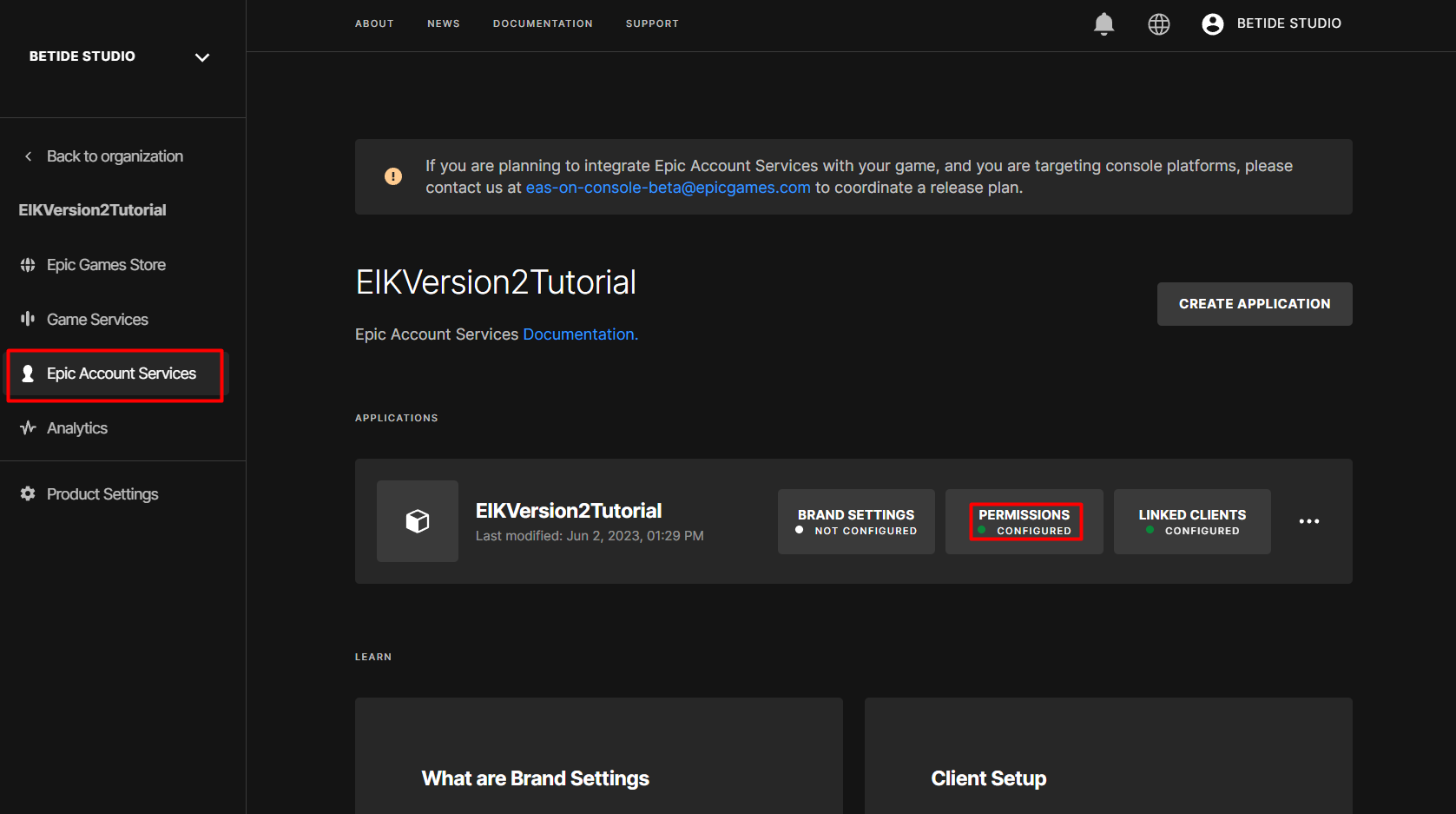
- Go to DevPortal, then select your organization and then go to your product page. On the product page, go to Epic Account Services and then Permissions.
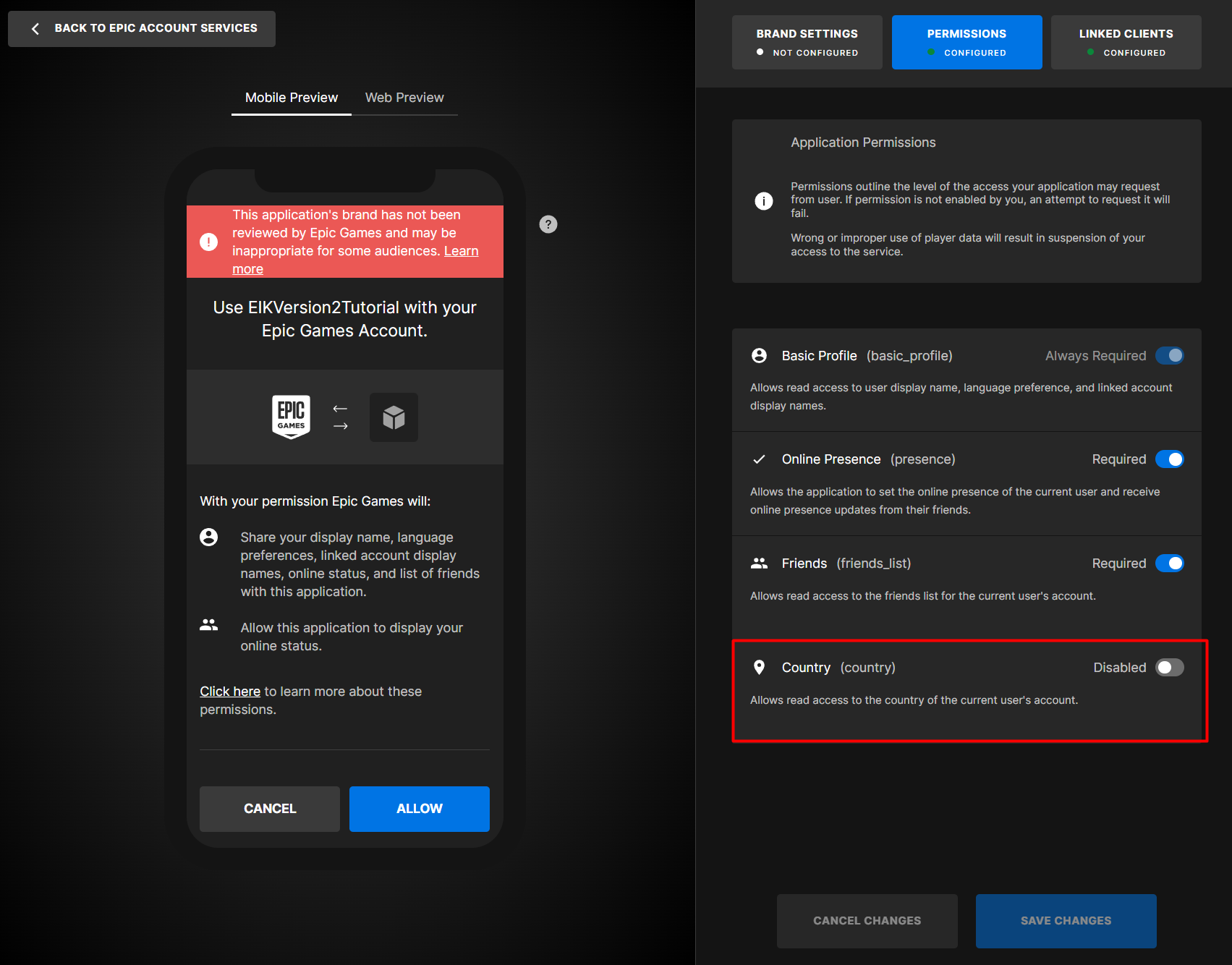
- Turn off the
Countryaccess requirement and save the changes.
🚨 Some extra info
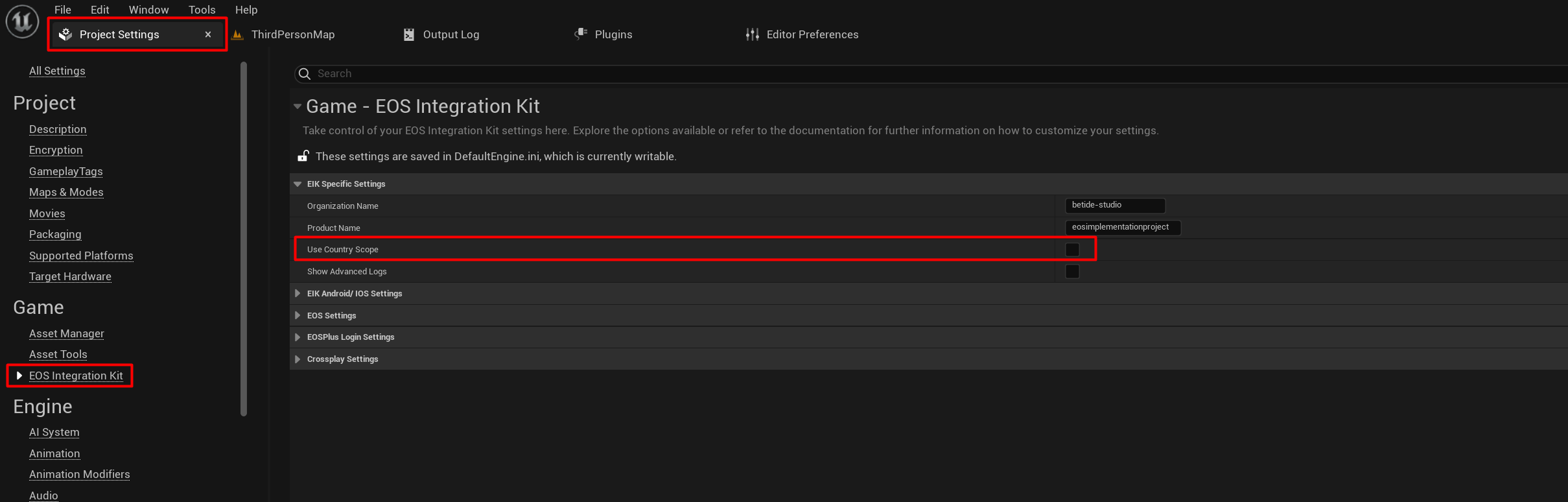
If, for some reason, you want the Country access requirement to be ON, then go the Project Settings, and lastly to the EOS Integration Kit, and turn on the Country Scope.